

As a PC gamer, you know that understanding graphics terms can enhance your gaming experience. Whether it’s figuring out the best anti-aliasing techniques or grasping the impact of refresh rates, these concepts play a vital role in your setup. Have you ever wondered how adaptive sync technologies like G-Sync and FreeSync can change your gameplay? Let’s explore these essential terms and discover how they can elevate your performance.
Graphics Settings and Technologies
When you immerse yourself in the world of PC gaming, understanding graphics settings and technologies can greatly enhance your experience.
Anti-aliasing options like TAA, FXAA, and SMAA can smooth out jagged edges, improving visual fidelity. Nvidia’s DLSS and AMD’s FSR offer advanced upscaling techniques that enhance performance without sacrificing quality, with DLSS 3 providing even greater frame rate boosts through its innovative features. Additionally, technologies like AMD’s Smart Access Memory optimize performance when using compatible hardware. Always consider the trade-offs between visual quality and performance; for instance, MSAA can considerably impact frame rates compared to FXAA.
By familiarizing yourself with these settings, you’ll fine-tune your gaming experience, ensuring that you enjoy stunning graphics while maintaining smooth gameplay. Ultimately, mastering these technologies is key to achieving your desired performance levels, especially with the ongoing advancements in upscaling technologies that can significantly improve your gaming visuals.
Artifacts and Camera Effects
Understanding artifacts and camera effects is essential for appreciating the nuances of visual quality in PC gaming. Artifacts like aliasing, ghosting, and screen tearing can detract from your gaming experience. Aliasing creates jagged edges, while ghosting leaves a faint trail of moving objects. Screen tearing occurs when two frames are displayed simultaneously, disrupting your immersion. You can mitigate this with V-Sync, which syncs your frame rate and refresh rate.
On the other hand, camera effects enhance realism. Bloom creates a soft glow around bright objects, and chromatic aberration distorts colors at the edges, mimicking lens imperfections. Ray tracing effects can further elevate the visual experience by providing more accurate lighting and reflections in games.
Depth of field blurs backgrounds, enhancing focus on the action, while motion blur adds a sense of speed. Understanding these elements helps you fine-tune your graphics settings for peak enjoyment. Additionally, incorporating techniques like anti-aliasing can significantly improve image quality by smoothing jagged edges.
Display Terms and Refresh Rate Technologies
When you’re gaming, understanding refresh rates and frame rates is essential for a smooth experience.
Higher refresh rates can greatly enhance the fluidity of your visuals, while V-Sync helps eliminate screen tearing by syncing your frame rate with your monitor’s refresh rate. Additionally, the choice between fullscreen mode and windowed borderless can significantly impact your gaming performance and immersion. Modern graphics cards, like the RTX 4060, leverage advanced features such as DLSS 3 to further enhance frame rates in supported games.
Let’s break down these concepts to see how they affect your gameplay.
Refresh Rate Explained
Refresh rate plays an essential role in your gaming experience, directly impacting how smooth and fluid visuals appear on your screen. Measured in hertz (Hz), it indicates how often your monitor refreshes the image per second.
For instance, a 60Hz display refreshes 60 times a second, while 144Hz or 240Hz monitors provide much smoother motion, which is vital in fast-paced games. Higher refresh rates reduce motion blur and tearing, enhancing your ability to track moving targets. Additionally, utilizing multi-threading capabilities can help boost performance in resource-intensive gaming scenarios.
Technologies like V-Sync, G-Sync, and FreeSync help synchronize your frame rate with the refresh rate, improving overall performance. Investing in a monitor with a higher refresh rate can greatly elevate your gaming experience, making your visuals appear more responsive and immersive. Moreover, utilizing features from DirectX 12 can further enhance graphical performance and responsiveness in your games.
Frame Rate Differences
While both frame rate and refresh rate are critical to your gaming experience, they represent different aspects of how visuals are rendered on your screen.
Frame rate refers to the number of images your GPU produces per second, directly impacting how smooth your gameplay feels. Higher frame rates reduce motion blur, making fast-paced action clearer and more responsive.
On the other hand, refresh rate measures how often your monitor updates the displayed image. A monitor with a higher refresh rate can show more frames per second, enhancing your visual experience.
However, if your frame rate exceeds your monitor’s refresh rate, you won’t fully benefit from that performance. Balancing both is key to achieving the ultimate gaming experience. Additionally, utilizing technologies like DLSS technology can significantly enhance your frame rates while maintaining visual quality.
V-Sync and Tearing
To guarantee a smooth gaming experience, you need to understand the relationship between V-Sync and screen tearing.
Screen tearing happens when your graphics card outputs frames at a rate that doesn’t match your monitor’s refresh rate, resulting in split images.
V-Sync, or vertical synchronization, aims to fix this by syncing your frame rate to your monitor’s refresh rate. While it eliminates tearing, it can introduce input lag, which isn’t ideal for competitive gaming.
If you’re looking for a more adaptive solution, technologies like G-Sync and FreeSync dynamically adjust the refresh rate to match the frame rate, providing smoother visuals without the drawbacks of traditional V-Sync. Additionally, understanding the importance of ray tracing technology can further enhance the visual quality of your gaming experience.
Understanding these options can greatly enhance your gaming experience.
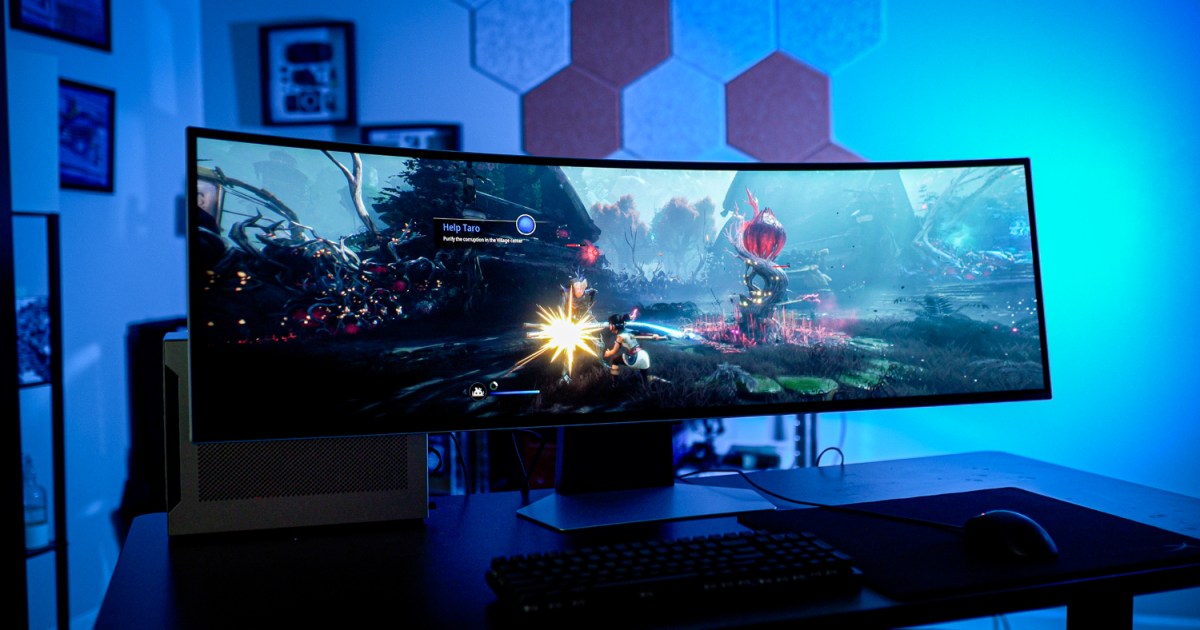
Adaptive Sync Standards and Performance Terms
As gaming technology evolves, understanding adaptive sync standards becomes essential for enhancing your experience.
Adaptive Sync, an open VESA standard, synchronizes your display’s refresh rates with your game’s frame rates, markedly reducing screen tearing. This technology operates similarly to AMD’s FreeSync and Nvidia’s G-Sync, ensuring smoother gameplay.
You’ll find that most modern gaming monitors support these standards, making them critical for competitive gaming.
On the performance side, terms like Shader Compilation Stutter and VRAM become important.
Shader Compilation Stutter can disrupt your gameplay when shaders load, while limited VRAM may lead to performance drops in demanding games.
Utilizing technologies like DirectStorage can help mitigate loading times and stutters, making your gaming sessions more enjoyable.
Anti-Aliasing Techniques
Anti-aliasing techniques play an essential role in enhancing your gaming visuals by smoothing out jagged edges that can detract from the experience.
Among the most popular methods, FXAA (Fast Approximate Anti-Aliasing) offers a good balance between performance and quality, making it a favorite for gamers.
TAA (Temporal Anti-Aliasing) leverages current and previous frames for improved edge smoothing, though it can introduce some blurriness.
SMAA (Subpixel Morphological Anti-Aliasing) enhances image quality by using multiple samples per pixel while maintaining reasonable performance.
MSAA (Multisample Anti-Aliasing) provides high-quality results but at a significant performance cost.
Each technique has its pros and cons, so experimenting with different settings can help you find what works best for your gaming setup.
NVIDIA and AMD Technologies
While anti-aliasing techniques greatly enhance visual fidelity, the advancements in graphics technologies from Nvidia and AMD take gaming performance to the next level.
Nvidia’s DLSS (Deep Learning Super Sampling) leverages AI to upscale images, offering significant performance boosts for RTX GPU users. The introduction of Frame Generation in DLSS 3 further enhances this by generating additional frames, although it can increase latency.
On the AMD side, FidelityFX Super Resolution (FSR) works across various GPUs, providing a similar upscaling advantage. Additionally, AMD’s Smart Access Memory (SAM) optimizes performance by allowing the CPU to access the GPU’s full VRAM.
Both companies continuously innovate, ensuring gamers can enjoy smoother, more immersive experiences across a wide range of titles.
Performance Optimization Techniques
To achieve ideal gaming performance, you need to understand various techniques that can greatly enhance your experience.
Start by adjusting your graphics settings; reducing anti-aliasing or shadow quality can considerably boost frame rates. Utilize technologies like DLSS or FSR to upscale resolution without sacrificing performance.
Make sure your drivers are up-to-date, as manufacturers often release optimizations for new games. Implementing V-Sync or Adaptive Sync helps eliminate screen tearing, enhancing visual fluidity.
Monitor your system’s VRAM usage; exceeding this can cause stutters. Finally, consider using DirectStorage for faster loading times and reduced traversal stutter.
Upcoming Game Requirements
As you gear up for upcoming titles like “Doom: The Dark Ages,” it’s essential to understand the minimum hardware specifications you’ll need.
With an 8GB graphics card required just to hit basic functionality, you’ll want to guarantee your setup can handle the demands for smooth gameplay.
Paying attention to recommended graphics settings will help you optimize your experience, especially at 60 fps on high settings.
Minimum Hardware Specifications
When you’re gearing up to play the upcoming title, Doom: The Dark Ages, knowing the minimum hardware specifications is vital for guaranteeing a smooth gaming experience.
To hit that sweet spot of 60 fps at 1080p, here’s what you’ll need:
- 8GB Graphics Card: This is the bare minimum to guarantee basic functionality without major hiccups.
- Low Graphics Preset: Setting the graphics to low will help maintain performance, especially on lower-end hardware.
- System Requirements Awareness: Keep an eye on the official specs as they’ll be significant for compatibility and performance.
With these specs in mind, you can plunge into the game without the frustration of performance issues.
Make sure your setup is ready for the challenge!
Recommended Graphics Settings
While you might be enthusiastic to plunge into Doom: The Dark Ages, selecting the right graphics settings can greatly enhance your gaming experience.
You’ll want to start with the minimum requirement of an 8GB graphics card for smooth gameplay. For ideal performance at 1080p and 60 fps, consider using the Low graphics preset initially.
As you grow more comfortable, gradually increase settings like anti-aliasing and texture quality, keeping an eye on your frame rates.
If you have a more powerful GPU, explore advanced features like Nvidia’s DLSS or AMD’s FSR to maximize visual fidelity without sacrificing performance.

Common Graphics Artifacts and Their Solutions
Graphics artifacts can greatly impact your gaming experience, and understanding how to address them is essential for maintaining visual quality.
Here are three common artifacts and their solutions:
- Screen Tearing: This happens when your GPU and monitor are out of sync. Enable V-Sync or use G-Sync/FreeSync to align frame rates and refresh rates.
- Ghosting: If you see trailing images of moving objects, adjust your monitor’s response time settings or switch to a display with a faster refresh rate.
- Shimmering: This occurs with distant objects due to aliasing. Use anti-aliasing techniques like FXAA or TAA for smoother edges.
Frequently Asked Questions
What Is the Difference Between Frame Rate and Refresh Rate?
Imagine watching a movie on two screens; one updates every second while the other refreshes ten times. Frame rate is how many images you see, while refresh rate’s how often your display updates those images.
How Does V-Sync Affect Gameplay Performance?
V-Sync reduces screen tearing by synchronizing your frame rate with your monitor’s refresh rate. While it smooths visuals, it can introduce input lag and limit your maximum frame rate, affecting overall gameplay performance.
What Are the Benefits of Using G-Sync or Freesync?
Using G-Sync or FreeSync smooths your gameplay by synchronizing your monitor’s refresh rate with your GPU’s frame rate. This reduces screen tearing and stuttering, enhancing your overall gaming experience for a more enjoyable session.
How Can I Reduce Screen Tearing in Games?
Imagine your screen flickering like a strobe light. To reduce screen tearing, enable V-Sync, use G-Sync or FreeSync, and guarantee your refresh rate matches your frame rate for smoother gameplay and visual harmony.
What Hardware Is Necessary for Optimal Gaming Performance?
For peak gaming performance, you’ll need a powerful graphics card, sufficient VRAM, a fast processor, and adequate RAM. Additionally, verify your monitor supports high refresh rates and adaptive sync technologies for smoother gameplay experiences.


