

When considering the HP OfficeJet Pro 8135E, you’re looking at a machine designed for efficiency in a home office or small business setting. Its competitive price and solid print quality might catch your attention, but you may wonder how it really stacks up against its competitors. With a monthly duty cycle that suggests durability, yet some drawbacks like the absence of automatic duplexing, the question remains: is it the right fit for your needs? Let’s explore how its features and limitations could impact your decision.
Overview of the OfficeJet Pro 8135e
What makes the HP OfficeJet Pro 8135e stand out in the crowded all-in-one printer market? This model combines impressive functionality with competitive pricing, making it an appealing choice for both home and small office users. Priced at $225, it offers robust features, including printing, scanning, faxing, and copying capabilities, all in a single device.
With a monthly duty cycle of 20,000 pages and a sustained volume of 800 pages per month, the OfficeJet Pro 8135e is built for productivity. You’ll appreciate its monochrome printing speed of up to 20 pages per minute and a color speed of 10 pages per minute.
However, keep in mind that while black-and-white print quality is high, color prints may occasionally show banding.
The printer includes a 225-sheet single paper tray, which you’ll need to manually switch for different paper types. Its user-friendly 2.7-inch color touchscreen simplifies operation, allowing you to navigate through tasks with ease.
Design and Build Quality
The HP OfficeJet Pro 8135e stands out with its dimensions of 18 inches wide and 20 inches deep, weighing 17.6 pounds, making it a sturdy yet manageable addition to your workspace.
Its aesthetic combines rounded and sharp angles with contrasting colors, enhancing visual appeal while maintaining functionality.
User-friendly features like a 2.7-inch color touchscreen and a 225-sheet paper tray promote ease of operation, ensuring it meets your printing needs without hassle.
Dimensions and Weight
When evaluating the HP OfficeJet Pro 8135e, you’ll notice its dimensions and weight play a significant role in its design and build quality. Measuring over 18 inches in width, 20 inches in depth (with the output tray extended), and 9.2 inches in height, this printer occupies a decent amount of space on your desk.
Weighing 17.6 pounds, it’s relatively manageable for a multi-functional device, but you may want to assess its placement before purchasing.
The size and weight are indicative of its robust construction, which combines rounded and sharp angles, lending it a modern feel. However, if you’re aiming for portability, you might find it slightly cumbersome.
The printer’s bulkiness is balanced by its single paper tray capacity of 225 sheets, which can handle substantial workloads, making it suitable for small to medium-sized offices.
Aesthetic Appeal
While evaluating the HP OfficeJet Pro 8135e’s dimensions and weight, its aesthetic appeal becomes an important factor in your overall evaluation.
This printer boasts a sleek design that combines rounded and sharp angles, giving it a modern look suitable for any office. The contrasting dark and light shades add visual interest, making it a standout piece on your desk.
Weighing in at 17.6 pounds and measuring over 18 inches wide, the printer’s substantial build quality conveys durability, suggesting it can withstand daily use. Its 2.7-inch color touchscreen enhances not just functionality but also adds to its contemporary aesthetic.
However, you may want to reflect on how the single paper tray, with a capacity of 225 sheets, integrates into your workspace.
While it’s functional, the exposed output tray could detract from a tidy appearance when extended.
User-Friendly Features
User-friendly features in the HP OfficeJet Pro 8135e enhance its appeal for both casual and professional users. The printer’s design includes a 2.7-inch color touchscreen that simplifies navigation through its various functions. This intuitive interface allows you to quickly access printing, scanning, and faxing options, making it easy to manage tasks efficiently.
Weighing 17.6 pounds, the printer is portable enough for home or small office use. Its dimensions, with a width of over 18 inches and a depth of 20 inches when the output tray is extended, guarantee it fits comfortably on most desks without taking up too much space. The mix of rounded and sharp angles gives it a modern look that blends well with different environments.
However, the single paper tray, with a capacity of 225 sheets, requires manual switching for different paper types. While it lacks automatic duplex printing, the manual process is straightforward.
Print Performance Analysis
Evaluating the print performance of the HP OfficeJet Pro 8135e reveals its strengths and weaknesses. This printer delivers decent speeds, but you’ll notice some trade-offs in quality, especially when printing color documents.
- You’ll appreciate the high-quality black-and-white prints.
- Color prints might leave you feeling frustrated due to banding issues.
- Manual duplex printing can be a hassle for double-sided documents.
- A single paper tray means you’ll need to switch paper types manually.
With a monochrome speed of up to 20 pages per minute and color speed at 10 ppm, it performs adequately for everyday tasks.
However, if you’re looking for vibrant color prints, you might find better options in midrange alternatives like the Canon Maxify GX2020. The cost per page is reasonable, at around 6 cents for black and 12 cents for color, making it a cost-effective choice for home offices.

Special Features and Limitations
When you consider the HP OfficeJet Pro 8135e, you’ll notice some notable limitations that could impact your printing experience.
The lack of automatic duplex printing means you’ll need to manually flip pages, which can be inefficient for larger jobs.
Additionally, the single paper tray‘s 225-sheet capacity and the slower scanning speeds may require more frequent paper changes and patience.
Duplex Printing Inefficiency
Duplex printing efficiency can be a significant concern with the HP OfficeJet Pro 8135e, primarily due to its lack of automatic duplexing capabilities. You’ll find yourself manually flipping pages to print on both sides, which can be frustrating and time-consuming.
This limitation detracts from the overall convenience you’d expect from an all-in-one printer.
Consider these drawbacks:
- Increased Time Consumption: You’ll spend more time managing print jobs instead of focusing on your work.
- Higher Risk of Errors: Manually flipping pages may lead to misalignment or mistakes, wasting paper and ink.
- Less Eco-Friendly: The manual process can result in more wasted sheets compared to automatic duplexing.
- Frustration with Workflow: You might feel hindered in your productivity when faced with unnecessary steps.
While the HP OfficeJet Pro 8135e excels in many areas, the absence of automatic duplexing is a notable limitation.
If efficient, double-sided printing is a priority, you might want to explore other options that offer this feature.
Limited Paper Tray Capacity
The HP OfficeJet Pro 8135e’s single paper tray capacity of 225 sheets presents another limitation that can impact your printing efficiency. While this capacity may suffice for light home or small office use, it falls short for more demanding printing tasks. You’ll find yourself frequently refilling the tray, especially during larger print jobs, which can disrupt your workflow.
Additionally, the need for manual switching between different paper types or sizes can be cumbersome. If you often print various documents—like labels, reports, or photos—you’ll have to pause and adjust the settings, adding to your overall printing time.
The absence of an automatic document feeder (ADF) that supports double-sided documents further complicates matters, as it slows down scanning and copying tasks.
In a fast-paced environment, these limitations can hinder productivity. If you regularly print high volumes or require diverse paper options, you might consider other models with larger tray capacities or more advanced features.
Weighing these factors against your printing needs is essential to guarantee that the HP OfficeJet Pro 8135e aligns with your expectations and requirements.
Scanning Speed Constraints
Many users may find the scanning speed of the HP OfficeJet Pro 8135e to be a notable constraint. While it excels in many areas, the scanning function can feel sluggish, especially when you’re in a hurry. This limitation may affect your productivity, particularly if you often deal with high volumes of documents.
Here are some key points to evaluate regarding scanning speed:
- Time-consuming: Expect longer waits when scanning multiple pages.
- Single-sided scanning: The ADF doesn’t support double-sided scanning, adding to your workload.
- Manual intervention: You may need to frequently reload pages, disrupting your workflow.
- Frustration during busy periods: Slower scanning can lead to bottlenecks, especially in office settings.
Although the scanning quality is commendable, the speed can hinder efficiency. If you often need to scan documents swiftly, you might want to weigh this constraint against your needs.
For users requiring fast, high-volume scanning, exploring alternatives with better performance could be beneficial.
Setup Process and Compatibility
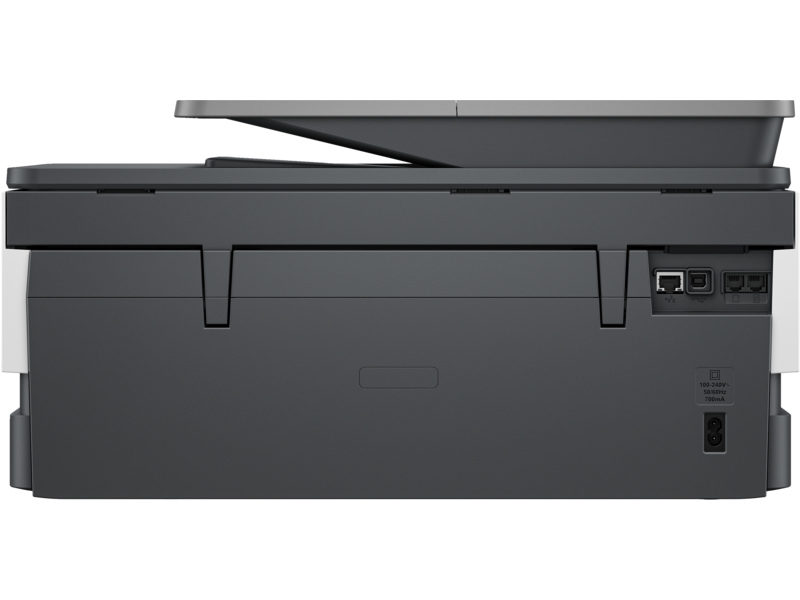
Setting up the HP OfficeJet Pro 8135e is straightforward and typically takes about 15 minutes after you install the cartridges. To start, you’ll find a QR code that links you directly to HP’s website, providing the latest instructions. This feature simplifies the setup process, ensuring you won’t miss any essential steps.
The printer is compatible with both Windows and macOS, making it a versatile choice regardless of your operating system. For mobile printing, it’s highly recommended to download the HP Smart app, which enhances functionality and allows you to print from your smartphone, including envelopes and other document types directly.
While the initial setup is user-friendly, be cautious when removing the ink cartridge covers, as they can fit tightly and may require tools for assistance.
Cost of Ownership
When considering the cost of ownership for the HP OfficeJet Pro 8135e, you’ll find it relatively economical compared to other all-in-one printers. With a purchase price of $225, you’re getting solid value for a machine that can handle printing, scanning, and faxing.
However, it’s important to factor in the ongoing costs, primarily ink usage. You’ll likely pay about 6 cents per page for black and 12 cents for color. Over time, these costs can add up, but the printer’s efficiency helps keep expenses in check.
Here are some emotional considerations regarding cost:
- Affordable initial investment: You won’t break the bank when buying this printer.
- Low operating costs: You can print without worrying about constant ink expenses.
- Versatile functionality: This printer’s capabilities reduce the need for multiple devices.
- High monthly duty cycle: It can handle your printing needs without extra costs.
Comparison With Competitors
The HP OfficeJet Pro 8135e stands out in a competitive landscape filled with all-in-one printers, but how does it measure up against its rivals?
When compared to models like the Canon Maxify GX2020 and Epson EcoTank ET-8500, the OfficeJet Pro offers a compelling balance of price and performance. At $225, it’s budget-friendly, especially for an all-in-one with fax capabilities.
In terms of print speeds, the OfficeJet Pro achieves up to 20 pages per minute for monochrome and 10 ppm for color, which is competitive but not the fastest in its class.
While its black-and-white print quality is excellent, color prints may struggle with banding compared to the superior color output of the Canon and Epson alternatives.
Additionally, the OfficeJet Pro’s manual duplexing and single paper tray could be a drawback for users needing high-volume double-sided printing.
If you prioritize photographic quality or advanced features, you might find better options elsewhere.
However, if you’re looking for a reliable, versatile printer for everyday tasks, the OfficeJet Pro 8135e remains a strong contender among its competitors.
Target Audience and Use Cases
For small businesses and home offices seeking a reliable all-in-one printer, the HP OfficeJet Pro 8135e presents a solid choice. Its features cater to a variety of needs, making it an ideal fit for those who value efficiency without sacrificing quality.
You’ll appreciate how it seamlessly integrates into your workspace, allowing you to tackle daily tasks with ease.
Consider this printer if you:
- Need to print, scan, and fax from a single device
- Value cost-effectiveness with low printing costs
- Require decent speed for monochrome and color outputs
- Want an intuitive touchscreen interface for easy navigation
This printer shines in scenarios where functionality meets affordability, making it suitable for freelancers, entrepreneurs, or anyone who handles moderate printing volumes.
Its compact design fits well in smaller spaces, while the monthly duty cycle supports your business needs. While it lacks some advanced features like automatic duplexing, its overall performance guarantees you can manage various tasks efficiently.
Ultimately, the HP OfficeJet Pro 8135e is an excellent choice for those who seek a dependable, multifunctional printer that won’t break the bank.


