

When it comes to the art of porting games to PC, some titles have faced, shall we say, a few challenges that might raise eyebrows. You’ve likely experienced the frustration of poorly optimized controls or jarring performance issues that detract from the overall experience. Let’s take a closer look at some notorious examples that have left players feeling disappointed and explore how these missteps highlight a broader issue in the industry.
Batman Arkham Knight: A Case of Epic Failures

Although many games have struggled with poor PC ports, Batman Arkham Knight stands out as a prime example of epic failures in this domain. You’d expect a title from such a renowned series to deliver a seamless experience, yet players encountered severe stuttering and hitching, particularly on lower-end systems.
The game’s performance issues stemmed from inadequate asset management, leading to memory overloads that crippled gameplay. Even after the developers pulled it from digital storefronts for four months to address these flaws, the relaunch still left much to be desired.
Community mods became essential for fixing persistent problems, showcasing the developers’ inability to provide a polished product. It’s a cautionary tale, reminding you of the critical importance of quality control in game development.
Dark Souls: Prepare to Die Edition and Its Limitations

When you play Dark Souls: Prepare to Die Edition, you’ll quickly notice its glaring limitations, particularly in resolution and frame rate, capped at 1,024 x 720 and 30 fps.
The audio glitches and low-resolution textures further detract from the immersive experience you expect from the franchise.
Coupled with a clunky control scheme that struggles with keyboard and mouse inputs, this port falls short of delivering the quality you deserve as a PC gamer.
Resolution and Frame Rate
The limitations of resolution and frame rate in Dark Souls: Prepare to Die Edition starkly highlight the pitfalls of poorly optimized PC ports.
Locked at a mere 1,024 x 720 resolution and capped at 30 frames per second, the game underwhelms on modern hardware, undermining the immersive experience.
This subpar optimization leads to frustration, especially for players who expect more from their rigs.
Consider the following:
- Inconsistent frame rates lead to erratic gameplay.
- The lack of graphical options stifles personalization.
- Visual fidelity pales in comparison to console counterparts.
- Keyboard and mouse support feels clunky and unresponsive.
These issues collectively diminish the game’s legacy, making it a cautionary tale for future ports.
Audio and Texture Issues
Despite its cult status, Dark Souls: Prepare to Die Edition suffers from significant audio and texture issues that detract from the overall gaming experience.
You’ll notice low-resolution textures that lack the detail present in other versions, making environments feel bland and lifeless.
Audio bugs can disrupt immersion, with sound effects often glitching or failing to trigger at critical moments, pulling you out of the intense atmosphere.
Moreover, the game’s locked resolution of 1,024 x 720 adds to the disappointment, especially when you compare it to the vibrant visuals on consoles.
These shortcomings not only undermine the aesthetic appeal but also contribute to a sense of frustration, making it clear that the port didn’t live up to the high expectations set by its predecessor. Additionally, frame rate configuration is crucial for ensuring smoother gameplay, which the port fails to adequately address.
Control Scheme Problems
Control scheme problems in Dark Souls: Prepare to Die Edition further compound the frustrations players experience.
The game’s poor keyboard and mouse support limits your ability to execute commands smoothly, making precise maneuvers nearly impossible. You’ll likely find yourself grappling with frustrating controls that detract from the gameplay experience.
Key issues include:
- Lack of customization: You can’t remap controls, forcing you to adapt to a rigid layout.
- Inconsistent response: Inputs may feel delayed, especially during critical moments.
- No graphics options: The absence of adjustable settings means you can’t optimize performance.
- Overall accessibility: These issues alienate players who prefer using a keyboard and mouse over a controller.
These control scheme limitations make an already challenging game even more punishing.
The Last of Us Part 1: VRAM Nightmares

When you launch The Last of Us Part 1 on PC, you’re immediately confronted with severe VRAM consumption issues that can hit 10GB even at 1080p Ultra settings.
This excessive demand not only leads to frequent crashes but also results in frustrating mouse acceleration jitter, particularly for those relying on a mouse and keyboard.
Despite ongoing updates, these foundational problems continue to plague the experience, leaving many players frustrated.
Severe VRAM Consumption Issues
Although The Last of Us Part 1 was highly anticipated for its shift to PC, players quickly encountered severe VRAM consumption issues that marred the experience.
Many found that the game’s demand for VRAM was alarming, consuming over 10GB at 1080p Ultra settings. This not only led to performance dips but also strained even powerful GPUs. The RTX 3090 and its 24GB of VRAM showcased the need for high-capacity memory in demanding titles.
- Inadequate optimization for PC hardware.
- Excessive resource demands hindered gameplay fluidity.
- Complications with shader compilation caused lengthy waits.
- Developers’ promises of fixes fell short.
These issues highlighted the game’s failure to effectively manage resources, leaving players frustrated and disappointed. The 8GB VRAM of many GPUs, including the RTX 4060 Ti, proved insufficient for handling such demanding titles.
Despite ongoing updates, the fundamental VRAM problems persist, making it a cautionary tale for future ports.
Frequent Crashes on Launch
While many players enthusiastically anticipated The Last of Us Part 1’s PC debut, they were met with a barrage of crashes that rendered the game nearly unplayable upon launch.
These frequent crashes stemmed primarily from severe VRAM issues, with the game consuming an astonishing 10GB at 1080p Ultra settings. As a result, you faced frustrating interruptions, often before the game even loaded fully.
The lengthy shader compilation times compounded this problem, leaving you staring at endless loading screens. Even high-end GPUs struggled, undermining the promise of a seamless experience. This situation was exacerbated for gamers using cards with lower memory capacity, as the game was heavily reliant on VRAM.
Though developers released patches to improve stability, the initial chaos left a sour taste, highlighting a glaring lack of optimization that marred what should have been a triumphant shift to PC.
Mouse Acceleration Jitter Problems
Despite the excitement surrounding The Last of Us Part 1’s shift to PC, many players quickly encountered mouse acceleration jitter problems that greatly detracted from gameplay.
These issues left non-controller users frustrated, as precise movements became nearly impossible. You might find yourself struggling with:
- Inconsistent cursor movements that disrupt aiming.
- Unresponsive controls, leading to erratic character actions.
- A lack of customizable settings to mitigate the jitter.
- Overall immersion loss, undermining the game’s narrative.
Despite ongoing updates, the game’s performance issues persist, making it clear that mouse acceleration remains a significant hurdle.
The developers failed to deliver a polished experience, leaving many players wishing for the stability found in console versions.
It’s a glaring reminder of how critical proper optimization is for PC ports.
Fallout: New Vegas: The Modding Dilemma

When players plunge into Fallout: New Vegas on modern systems, they quickly encounter a frustrating reality: the game, despite its acclaim as one of the best RPGs, often requires extensive modding to function properly.
The game’s original design, rooted in Bethesda’s Creation Engine, suffers from numerous technical issues that can make it nearly unplayable without community interventions. Stuttering, crashes, and poor optimization plague the experience, especially on higher-resolution displays.
While mods like the New Vegas Script Extender can enhance performance and fix bugs, they also highlight a significant flaw: players must invest time and effort just to reach a satisfactory experience.
This reliance on modding diminishes the game’s accessibility and detracts from the overall enjoyment for many newcomers.
Grand Theft Auto: San Andreas: A Legacy of Issues
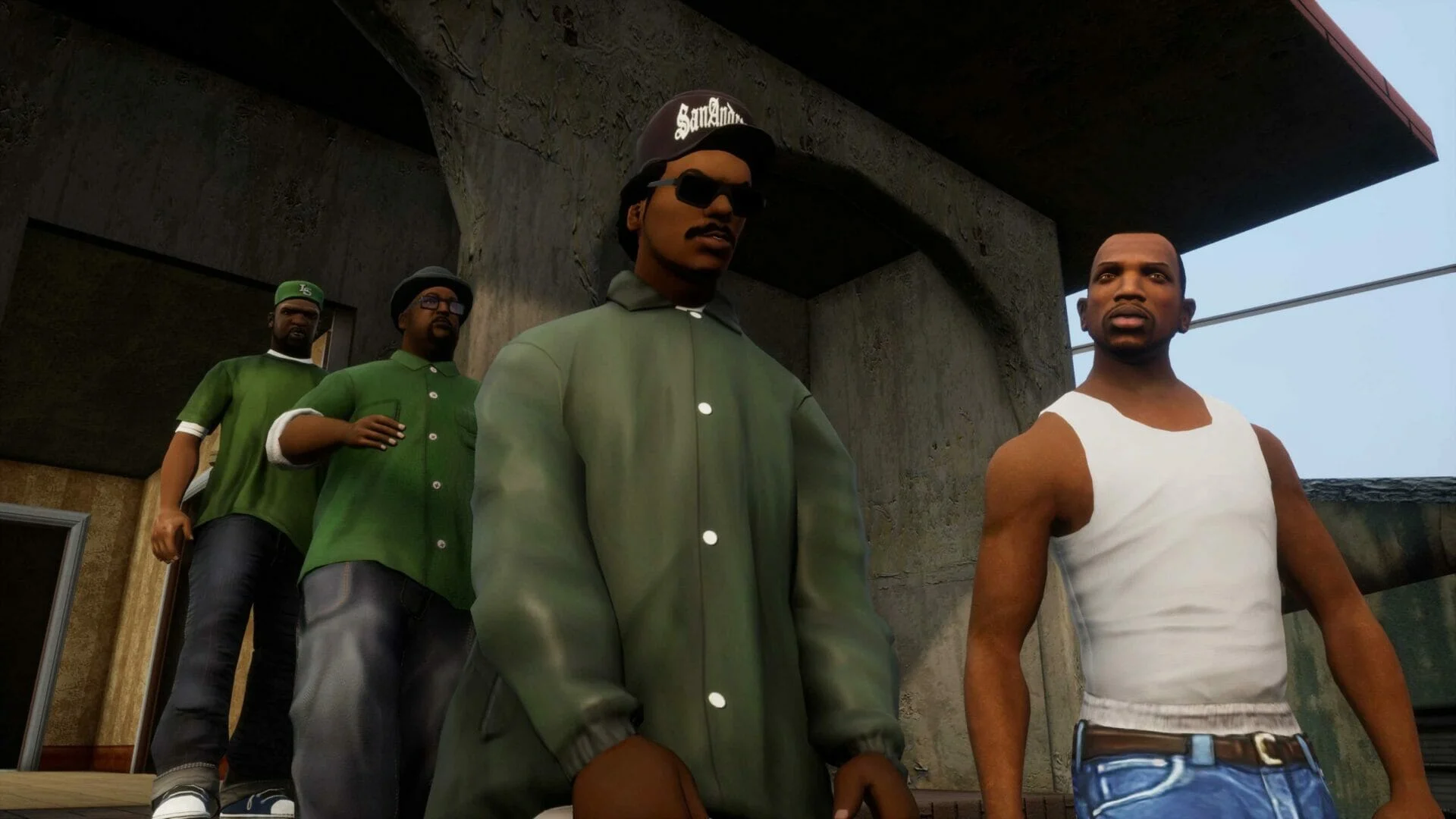
Though Grand Theft Auto: San Andreas is often celebrated for its expansive open world and engaging narrative, its legacy on PC is marred by a series of persistent issues that players continue to grapple with.
You’ll find that these problems detract greatly from the overall experience:
- Frame rate capped at 25 fps, leading to choppy gameplay.
- Releasing the frame rate results in broken physics and animations.
- Graphics downgraded with missing reflections and lighting discrepancies.
- Frequent save corruption and crashes due to simple in-game actions.
Despite its groundbreaking mechanics, these technical failures hinder the enjoyment for many players.
Modding communities have stepped in to provide necessary fixes, but the original port’s shortcomings remain a glaring reminder of what could have been.
Resident Evil 4: The Infamous PC Port

While Resident Evil 4 is often hailed as a masterpiece in survival horror, its PC port has gained notoriety for a multitude of shortcomings that undermine the experience.
You’ll notice blurry textures and low-resolution prerendered cutscenes that fail to capture the original’s visual flair. The absence of proper keyboard and mouse support is frustrating, as you can only close the game using these controls.
Quick-time events become a guessing game due to generic button prompts, breaking immersion. Crashes plague the gameplay, making it nearly unplayable, a far cry from the smooth console experience.
Although Capcom later released the Ultimate HD Edition to address these issues, the damage to the port’s reputation had already been done, leaving many players disillusioned.
Frequently Asked Questions
What Are the Most Common Issues in PC Game Ports?
When examining PC game ports, you’ll often find poor optimization, control issues, crashes, graphical downgrades, and missing features. These problems can severely hinder your gameplay experience, making it frustrating compared to console versions.
How Do Mods Improve Problematic PC Ports?
Mods act like a lifeline for struggling PC ports, fixing performance issues and enhancing visuals. They provide essential tweaks, allowing you to experience games as intended, often transforming frustrating gameplay into a smoother, more enjoyable adventure.
Are There Any Successful PC Ports to Learn From?
Absolutely, you can learn from successful PC ports like “The Witcher 3” and “Hades.” They maintain performance across systems, optimize controls, and offer regular updates, ensuring a smooth experience. Prioritizing community feedback is essential for improvement.
Why Do Developers Struggle With PC Port Quality?
Developers struggle with PC port quality due to diverse hardware, software variations, and optimizing performance across numerous configurations. They often prioritize console versions, leading to rushed or poorly adapted experiences that fail to meet PC gamers’ expectations.
What Can Gamers Do to Avoid Bad PC Ports?
To avoid bad PC ports, research reviews and player feedback before purchasing. Look for performance benchmarks, and consider waiting for patches or community mods. Prioritizing compatibility and performance can save you frustration and wasted money.


