

If you’ve been struggling to play the latest AAA games smoothly, your graphics card’s VRAM might be the culprit. As game graphics become more demanding, insufficient VRAM can lead to stuttering, crashes, and overall poor performance. Understanding the specific VRAM requirements of modern titles is essential. So, what can you do if your current setup can’t keep up? Exploring your options will reveal how to enhance your gaming experience effectively.
Understanding VRAM and Its Role in Gaming Performance
VRAM, or Video Random Access Memory, is an essential component that directly influences your gaming experience. It serves as a high-speed storage area for your graphics card, allowing it to quickly access textures, images, and other data needed for rendering graphics.
If you’re playing modern AAA games, you’ll notice that higher texture resolutions demand more VRAM. Insufficient VRAM can lead to performance issues, such as stuttering or frame drops, especially when playing at higher resolutions. As Nvidia’s RTX 40-series continues to push the boundaries of graphics fidelity, the demand for VRAM only increases.
As games continue to evolve, many titles now require over 8GB of VRAM to run smoothly. Understanding how VRAM works helps you make informed decisions about your graphics card, ensuring you’re well-equipped to handle the latest gaming demands without frustrating limitations. Furthermore, both the RTX 4060 and RX 7600 have shown limitations in VRAM when faced with modern gaming titles, which can impact their performance in demanding scenarios.
The VRAM Crisis: Why Your Graphics Card May Fall Short
As modern games push the boundaries of graphics quality, your graphics card’s VRAM may struggle to keep up. Low VRAM can lead to frustrating performance issues like stuttering and crashes, especially in demanding titles. Fortunately, there are solutions to mitigate these problems, but upgrading your hardware might ultimately be necessary to fully enjoy the latest gaming experiences. For instance, GPUs like the RX 6950 XT, with larger memory capacities, are better suited for handling high-resolution textures in today’s gaming landscape. Additionally, cards like the RX 7700 XT offer a significant performance advantage due to their higher VRAM, making them ideal for tackling demanding games.
Modern Game VRAM Demands
Modern games are demanding more from your graphics card than ever before, and the increasing VRAM requirements can leave many players scrambling for upgrades.
Titles like The Last of Us Part One can consume nearly 14GB of VRAM at high settings, while Hogwarts Legacy with ray tracing enabled can use close to 13GB. This growing demand for memory is evident as many newer GPUs, like the AMD RX 7600 XT, offer larger VRAM capacities to accommodate these needs.
If your GPU has less than 8GB, you’re likely to experience stuttering or crashes, severely impacting your gaming experience.
As texture resolutions soar and graphical fidelity improves, the need for higher VRAM becomes essential.
To enhance performance, technologies like DLSS Super Resolution can help optimize the gaming experience, especially for those with limited VRAM.
If you want to fully enjoy these immersive worlds, you may need to contemplate an upgrade to a card with sufficient memory to meet these modern demands.
Low VRAM Impact
While many gamers focus on GPU specifications and clock speeds, the often-overlooked role of VRAM can greatly impact your gaming experience.
Low VRAM can lead to significant performance issues, particularly in modern titles that demand high-resolution textures. For instance, games like The Last of Us Part One can consume nearly 14GB of VRAM at high settings. Additionally, the integration of ray tracing technology in many new releases increases the overall VRAM requirements for optimal performance.
When your graphics card runs out of VRAM, stuttering, lag, and crashes become common, ruining immersion and gameplay.
Even popular GPUs like the RTX 3070 Ti struggle with VRAM shortages, especially when handling AAA games.
As game graphics evolve, so do VRAM requirements, making it essential to evaluate VRAM capacity when choosing your next graphics card. Additionally, ray tracing technologies such as those found in the RTX 3080 Ti can further amplify VRAM demands during gameplay.
Solutions for VRAM Shortage
When faced with a VRAM shortage, gamers often find themselves grappling with performance issues that can detract from the overall experience. To mitigate these problems, consider reducing texture resolution in settings, which can greatly ease the strain on your VRAM. Resetting your shader cache or increasing its size in the Nvidia Control Panel may also provide a performance boost. Additionally, upcoming GPU releases are expected to feature enhanced VRAM capacities, which will help address these limitations. If you’re still encountering stuttering or crashes, upgrading your graphics card is a more permanent solution. While recent purchases might leave you feeling underwhelmed due to VRAM constraints, staying informed about upcoming releases could offer hope. Enhanced VRAM capacities in new graphics models like the rumored RTX 5090 promise better accommodation for today’s demanding games.
:max_bytes(150000):strip_icc()/vram011-e44eac7c13894d2fbfeb1e31d869ab39.jpg "Why Vram Is Keeping Your Pc From Playing Latest Games")
Popular Games and Their VRAM Demands
As gaming graphics become increasingly sophisticated, understanding the VRAM demands of popular titles is essential for optimizing performance.
Games like “The Last of Us Part One” can consume nearly 14GB of VRAM at high settings, while “Hogwarts Legacy” approaches 13GB with ray tracing enabled.
Even “Resident Evil 4 Remake” can use up to 8GB for textures.
If your graphics card lacks sufficient VRAM, you might experience stuttering or crashes, ruining your gaming experience.
It’s vital to know these requirements, especially if you aim to play at higher resolutions or detail settings.
The Limitations of the RTX 3070 Ti
The RTX 3070 Ti’s low VRAM capacity can greatly impact your gaming experience, especially with modern titles that demand more memory.
As games like Resident Evil 4 Remake and Hogwarts Legacy push the limits, you might encounter performance issues like stuttering or crashes when VRAM gets maxed out.
This limitation not only affects gameplay fluidity but also raises compatibility concerns with upcoming high-demand releases.
Low VRAM Capacity
Although the RTX 3070 Ti is often praised for its robust performance, its low VRAM capacity can considerably hinder your gaming experience.
With only 8GB of VRAM, you might find yourself struggling in modern AAA titles that demand more. Games like Resident Evil 4 Remake and The Last of Us Part One can consume significant amounts of VRAM, leading to stuttering or crashes when you push settings too high.
As textures and resolutions increase, the RTX 3070 Ti’s limited VRAM becomes a bottleneck, preventing you from fully enjoying the visual fidelity these games offer.
This limitation may force you to compromise on settings, ultimately detracting from your gaming immersion and enjoyment.
Performance Impact
While many gamers appreciate the RTX 3070 Ti for its performance, its limitations in VRAM can greatly impact your gaming experience, especially with resource-intensive titles.
When you explore modern AAA games, you’ll notice that many demand more than 8GB of VRAM, particularly at higher resolutions.
For example, games like Resident Evil 4 Remake and The Last of Us Part One can quickly consume all available memory, leading to stuttering and crashes.
This performance dip can be frustrating, as it disrupts immersion and hinders gameplay.
If you’re pushing settings to their limits, the RTX 3070 Ti’s insufficient VRAM might hold you back, making it essential to evaluate your VRAM needs before investing in a graphics card.
Game Compatibility Issues
Many gamers find themselves frustrated when trying to run the latest titles on the RTX 3070 Ti due to its VRAM limitations.
While this card performs admirably in many scenarios, the 8GB of VRAM falls short for modern AAA games, especially at higher settings.
For instance, titles like Resident Evil 4 Remake and The Last of Us Part One often push the VRAM demand beyond what the 3070 Ti can handle, leading to stuttering and crashes.
As game developers increasingly optimize for higher resolutions and textures, your gaming experience can suffer.
If you want to enjoy the latest games without hiccups, you might need to contemplate lowering texture settings or even upgrading your graphics card for better compatibility.
Comparing VRAM Across Different Graphics Card Models
When comparing VRAM across different graphics card models, it’s crucial to recognize how this specification impacts gaming performance. Higher VRAM allows for better handling of texture resolutions, particularly in modern AAA games.
For instance, while the RTX 3070 Ti struggles with 8GB in demanding titles, the Intel Arc A770 offers a robust 16GB, providing a significant advantage.
Meanwhile, the RTX 4070 Ti, priced at $900, has only 12GB, which raises eyebrows considering performance expectations. AMD’s RX 6700 XT, with its 12GB, often outperforms in certain scenarios.
As you evaluate options, remember that future-proofing your setup with adequate VRAM will enhance your gaming experience and reduce potential performance bottlenecks.
Practical Solutions for Managing VRAM Limitations
To effectively manage VRAM limitations, you can implement several practical strategies that enhance gaming performance without the need for immediate hardware upgrades.
First, consider reducing texture resolution in your game settings. This simple adjustment can considerably decrease VRAM usage, reducing stuttering and crashes.
Next, resetting your shader cache might improve performance, as it clears outdated files. Additionally, increase the shader cache size in the Nvidia Control Panel for better resource allocation.
You can also monitor background applications to make sure they’re not consuming valuable VRAM.
While upgrading your graphics card is the ultimate solution for persistent limitations, these strategies can provide a temporary boost and allow you to enjoy your games without constant interruptions.
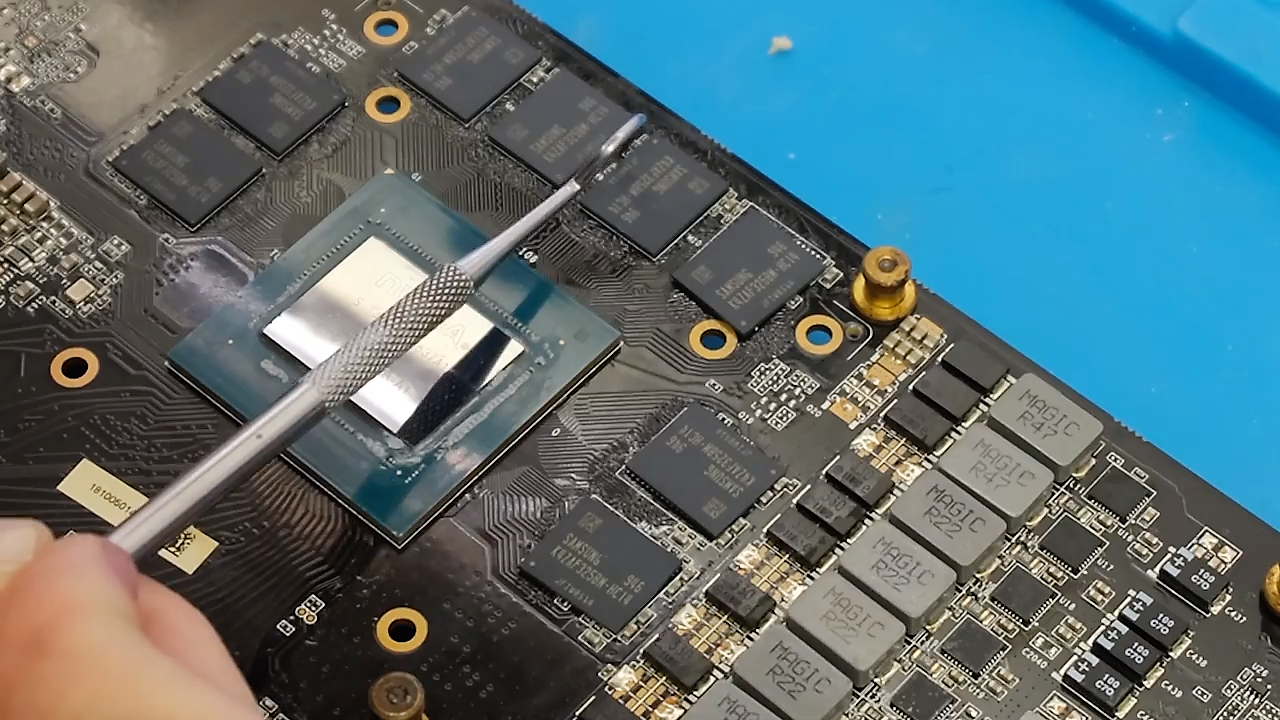
The Future of VRAM: Anticipated Graphics Card Releases
As gamers enthusiastically await the next wave of graphics card releases, the spotlight is on how increased VRAM capacities can reshape gaming performance.
Nvidia’s upcoming RTX 5090 is generating buzz, promising significant VRAM enhancements to tackle current limitations. This shift is essential, given that modern titles demand more memory to deliver high-quality textures and smooth gameplay.
AMD is also in the race, with their RX 7000 series potentially featuring robust VRAM options that could challenge Nvidia’s dominance.
These advancements are expected to alleviate stuttering and crashes, making high-resolution gaming more accessible.
As manufacturers push the boundaries of VRAM, gamers like you can anticipate a future where performance bottlenecks become a thing of the past, allowing for immersive experiences in the latest titles.
The Importance of VRAM in High-Resolution Gaming
With the upcoming graphics card releases promising enhanced VRAM capacities, the importance of VRAM in high-resolution gaming becomes increasingly apparent.
When you play modern AAA titles at higher resolutions, your graphics card needs ample VRAM to store textures and data efficiently.
Games like Resident Evil 4 Remake and The Last of Us Part One can demand over 8GB of VRAM, and insufficient memory leads to stuttering or crashes.
As textures become more detailed, the need for higher VRAM is undeniable.
Upgrading to a card with more VRAM can greatly improve your gaming experience, allowing you to enjoy smooth gameplay without compromising on quality.
In high-res gaming, VRAM isn’t just important; it’s essential.
Frequently Asked Questions
How Can I Check My Current VRAM Usage in Games?
To check your current VRAM usage in games, you can use monitoring tools like MSI Afterburner or GeForce Experience. These applications display real-time VRAM consumption, helping you optimize settings for better performance and gameplay experience.
What Happens if I Exceed My VRAM Limit?
If you exceed your VRAM limit, your system stutters, crashes, and struggles like a marathon runner tripping over hurdles. It can’t handle the data, causing lag and ruining your gaming experience. You’ll want to upgrade!
Can VRAM Be Upgraded Separately From the GPU?
You can’t upgrade VRAM separately from the GPU. VRAM is integrated into the graphics card, meaning you’ll need to replace the entire card for any significant increase. Consider your gaming needs when selecting a new GPU.
Is VRAM More Important Than GPU Clock Speed?
When considering gaming performance, VRAM plays a vital role, especially for high-resolution textures. While GPU clock speed matters, insufficient VRAM can bottleneck your experience, causing stuttering and lowering overall performance in demanding titles.
Do Older Games Require Less VRAM Than Modern Titles?
You wouldn’t believe it, but older games practically sip VRAM compared to modern titles! They often require considerably less, allowing you to enjoy them without stressing your graphics card. It’s a nostalgic gamer’s dream come true!


